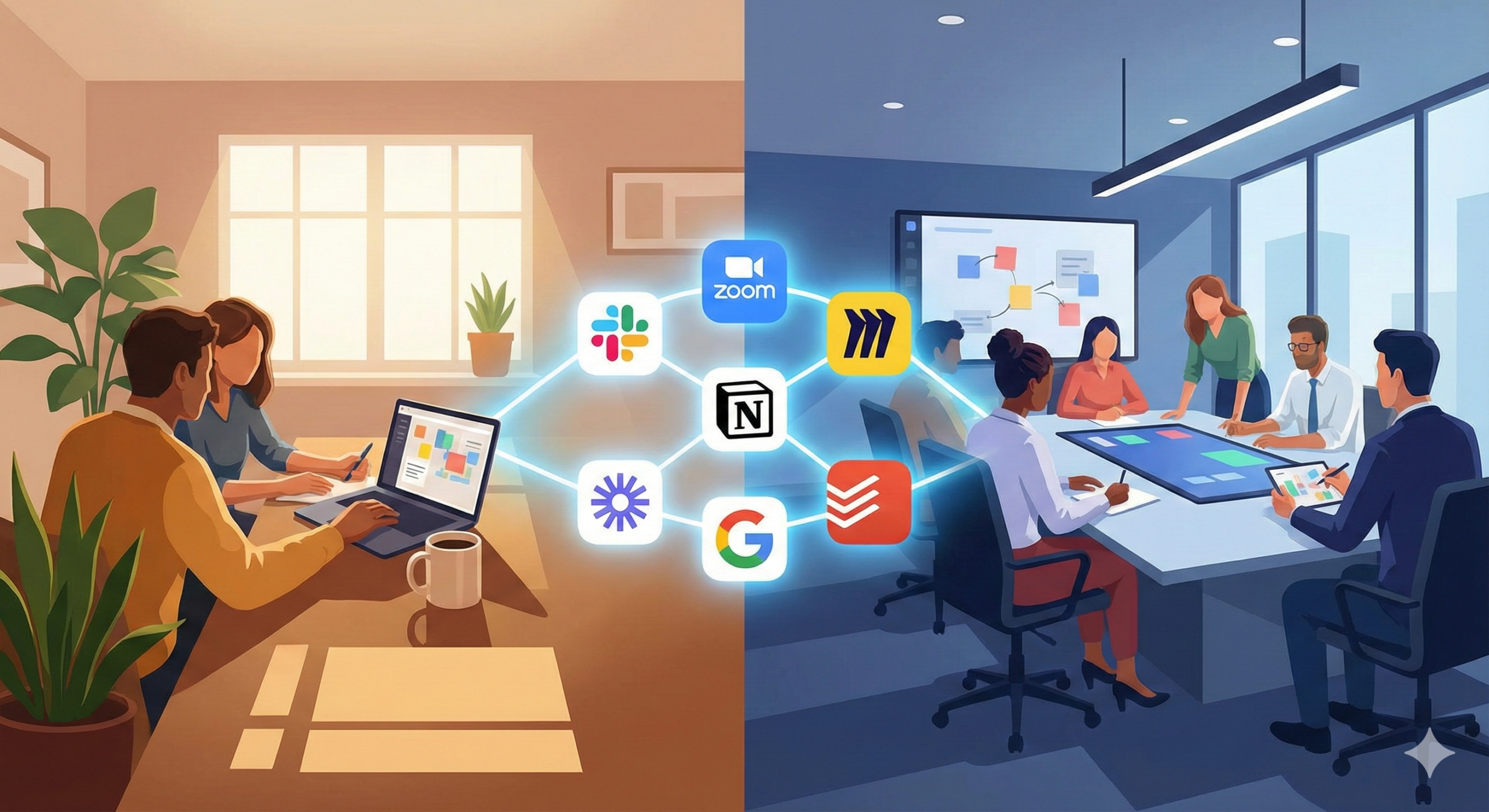
The debate between “Remote” and “Office” is over. The future of work in 2025 is hybrid. Most high-performing organizations have abandoned rigid location models and adopted a flexible blend of in-office collaboration and remote deep work. While this shift unlocks freedom and talent from anywhere in the world, it introduces a quiet killer: presence disparity. When half the team sits in the same room and the rest join from screens, participation becomes uneven, information becomes fragmented, and influence naturally bends toward those physically present.
A hybrid team without the right technology does not operate as one team. It operates as two disconnected groups pretending to collaborate.
The difference between dysfunction and flow lies not in policy, but in tools. Your collaboration stack defines how communication travels, how decisions are preserved, and how ideas scale across boundaries. The right ecosystem turns distance into invisibility. The wrong one amplifies friction.
This guide introduces the seven collaboration tools that form the backbone of productive hybrid teams in 2025 and explains not only what they do, but why they matter.
1. Slack — The Digital Headquarters
Slack is no longer just a messaging app. For hybrid teams, it is the virtual office hall, the breakroom, and the operations floor rolled into one. Email isolates conversations. Slack centralizes them.
When communication moves from private inboxes into shared channels, knowledge becomes visible instead of buried. New hires onboard faster. Decision trails remain intact. Teams escape the black hole of back-and-forth email threads and regain clarity.
The real strength of Slack is structure. Channels organize communication by topic rather than hierarchy, flattening access and enabling transparency. When departments communicate in the open, collaboration becomes cultural, not forced.
In hybrid environments, Slack Huddles replicate spontaneous conversations that would normally occur in the office. Instead of creating formal meetings, team members can jump into quick audio spaces for fast problem-solving without interrupting everyone’s schedule.
Slack succeeds not because it is fast—but because it is ambient. It creates presence without pressure, visibility without noise, and connection without clutter.
2. Zoom — The Human Connector
In-person connection still matters. Hybrid work did not erase the need for seeing faces. It made it more intentional.
Zoom remains the standard because of one attribute above all others: reliability. Stable calls build psychological safety. Unstable calls amplify distance and frustration.
The challenge in hybrid meetings is fairness. When several participants sit in the conference room and others appear as small tiles on a screen, power shifts. Zoom’s Smart Gallery solves this conflict by separating in-room participants into individual video frames. This restores conversational equality. No one becomes background furniture.
Zoom also shines in scale. From one-on-one check-ins to company-wide town halls, it maintains clarity across headcounts. Teams rely on familiarity and frictionless connections, and Zoom delivers it consistently.
Video is not just information delivery.
It is trust transmission.
Hybrid work requires technology that preserves human presence across wires.
3. Miro — The Infinite Whiteboard
Whiteboards died the moment hybrid work began.
Physical brainstorming only benefits those in the room. Miro ensures that creativity belongs to everyone.
The platform transforms thinking into visual collaboration. Sticky notes, diagrams, customer journeys, workflows, and frameworks become shared canvases where teams work in real time. Brainstorming becomes normalized across geography, not local to the loudest voices.
Miro’s ability to import photos and convert sticky notes into digital objects bridges the last remaining divide between physical and remote spaces. Office teams can ideate on walls. Remote teams absorb it instantly.
Visual collaboration is not cosmetic.
It is cognitive.
Miro replaces isolation with spatial thinking—at scale.
4. Notion — The Company Brain
Hybrid teams collapse when documentation fails.
When information lives inside people’s heads or chat history, remote workers operate blind. Notion replaces that failure with institutional memory.
The tool acts as your company’s operating system. Policies, playbooks, onboarding guides, roadmaps, OKRs, meeting notes—everything lives in one structured ecosystem. Instead of hunting for context, employees find answers instantly.
Notion eliminates the “ask-gate” culture, where knowledge becomes controlled by availability rather than documentation. In a hybrid organization, information should never depend on proximity.
Team Spaces allow departments to store their workflows transparently. This visibility builds trust and improves cross-functional awareness.
Notion does not just store content.
It replaces lost conversations with permanent clarity.
5. Loom — The Async Superpower
Hybrid teams suffer from meeting overload.
Loom deletes unnecessary meetings from existence.
By recording your screen and camera, you explain once and distribute forever. Designers give feedback without scheduling calendars. Managers provide updates without holding sync calls. Developers walk through code without interrupting deep work.
The magic lies in time-shifting communication. Workers consume information when they are mentally available, not when a meeting demands attendance. This protects focus and eliminates timezone burden.
The comment layer adds conversational intelligence. Feedback attaches to exact timestamps. Context becomes immutable instead of evaporating in conversation.
Loom respects one truth:
Time is not synchronized in hybrid teams.
Communication must adapt.
6. Google Workspace — The Live Collaboration Engine
Documentation no longer exists as static files. In hybrid teams, documents are living.
Google Workspace transforms writing into multiplayer activity. Teams edit in real time, leave comments instantly, and eliminate version chaos.
The “Smart Canvas” system turns documents into dynamic workspaces. You assign tasks, embed calendars, and pull files into place without leaving the page. A document becomes a control panel, not a file.
Google Workspace wins because it embraces the web-native reality. Collaboration happens in motion. Ownership remains visible. Feedback remains traceable.
Instead of emailing attachments, teams build documents together.
Speed becomes social.
7. Todoist Business — Individual Flow, Team Harmony
High-level coordination fails if individual productivity collapses.
Hybrid work increases autonomy—but also cognitive load.
Todoist helps employees manage their day amid the flexibility of remote work. Tasks remain prioritized. Personal workflows stay structured. Focus replaces fog.
Shared projects allow lightweight team coordination without project management overhead. For micro-collaboration, this agility is invaluable.
Todoist succeeds because it respects the invisible workload of hybrid employees: attention. When attention is structured, execution follows.
How to Build a Stack That Doesn’t Create Chaos
More tools do not equal better outcomes.
Integration matters more than features.
Every tool in your ecosystem should answer a question:
Where does conversation happen?
Where does documentation live?
Where does planning occur?
Where does creativity flow?
Where does execution reside?
If platforms overlap without intention, fragmentation follows.
Hybrid teams thrive when each system is respected, and boundaries remain clear.
Cultural Rules That Make Tools Work
No tool fixes bad habits.
Hybrid success requires behavioral contracts.
Avoid communication wherever it does not belong.
Do not make Slack a decision graveyard.
Don’t use Zoom for updates.
Don’t store policies in chat.
Don’t brainstorm in email threads.
Tools amplify culture.
They do not replace it.
Leadership must use systems as designed or chaos follows.
Measuring Impact in Hybrid Teams
Output should be visible.
Collaboration should leave trails.
Meetings should be rare.
Documentation should be rich.
Decisions should be written.
Requests should be clear.
If communication feels calm, the system works.
If communication feels urgent, the system is broken.
Conclusion — The Toolset Shapes the Team
Hybrid work is not a perk.
It is an operating model.
The difference between chaos and clarity lies in how your organization communicates, documents, and collaborates.
Slack gives you speed.
Zoom restores presence.
Miro unlocks visualization.
Notion preserves memory.
Loom protects focus.
Google Workspace enables velocity.
Todoist builds discipline.
Together, these tools remove location from performance.
In 2025, collaboration is not about proximity.
It is about precision.