Best Invoicing Software for Freelancers and Agencies: Get Paid Faster and Smarter (2025 Review)
For freelancers, agencies, and service-based professionals, the most critical part of the job isn’t delivering the final product; it’s ensuring they get paid accurately and on time. Yet, millions of solopreneurs still rely on manually filling out Microsoft Word templates or emailing generic PDFs, leading to slow payments, tracking errors, and tedious administrative work.
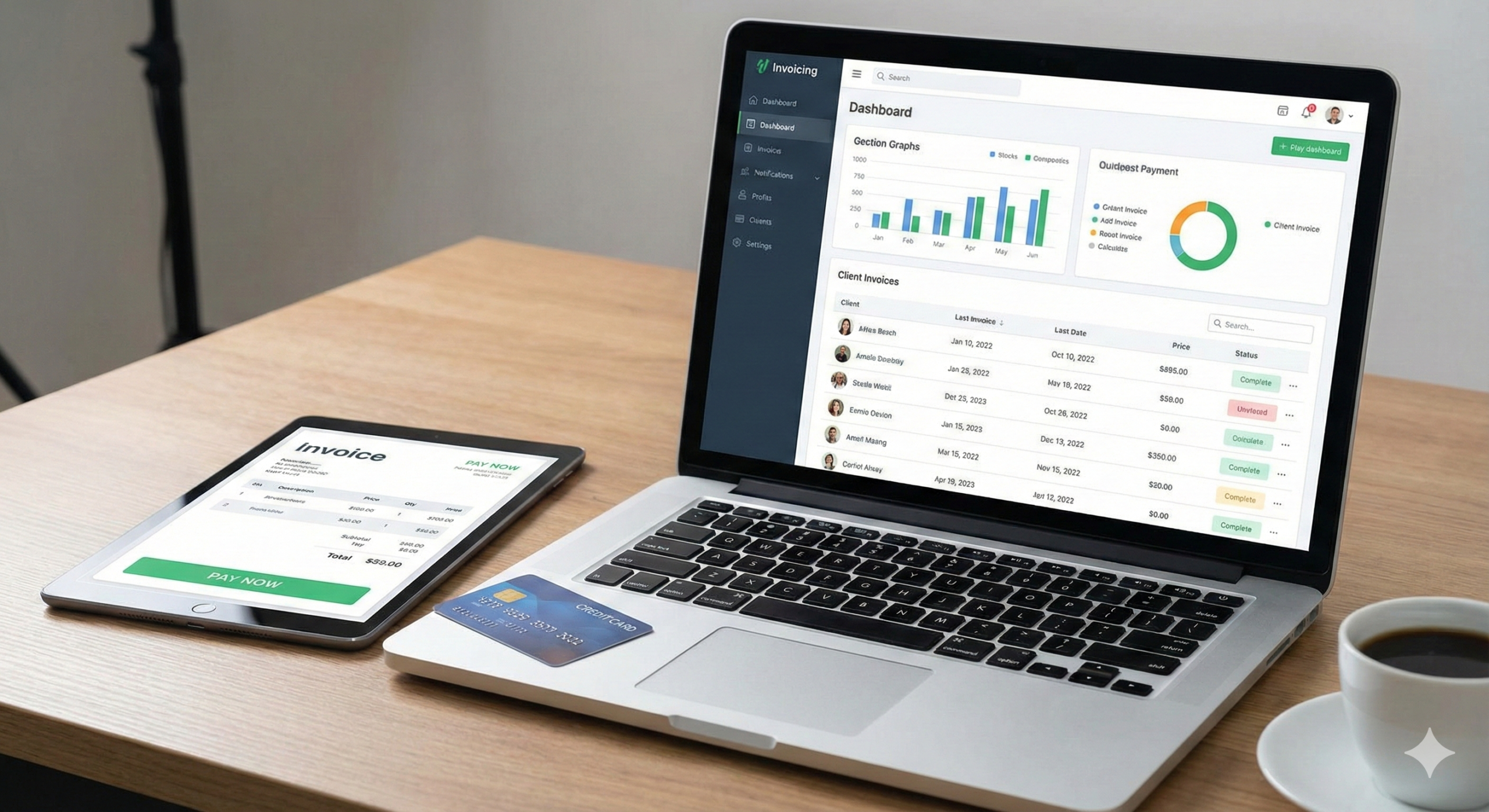
In 2025, using specialized Invoicing Software is not just an efficiency hack; it is a fundamental requirement for healthy cash flow. A dedicated tool moves beyond simply generating a bill. It automates follow-up reminders, integrates seamlessly with payment gateways (Stripe, PayPal), and provides a clear, real-time dashboard of your accounts receivable.
Choosing the right invoicing tool is critical. It must integrate with your existing workflow—whether that’s time tracking, accounting, or project management. This comprehensive guide reviews the top 5 invoicing solutions, analyzing their strengths, weaknesses, and ideal user profiles to help you choose the platform that minimizes administrative friction and maximizes your revenue velocity.
1. Why Dedicated Invoicing Software is Essential
The move from manual invoicing to automated software is justified by three non-negotiable business needs:
1. Cash Flow Automation
The biggest advantage is the recurring invoice feature. If you have a client on a retainer, the system automatically sends the invoice every month without you having to lift a finger. Furthermore, the automated late payment reminders (e.g., “7 days overdue,” “14 days overdue”) eliminate the awkward, time-consuming task of chasing clients manually.
2. Professionalism and Payment Friction
A professional-looking, digital invoice with a “Pay Now” button dramatically reduces friction. Clients prefer to pay via credit card or digital wallet rather than mailing a check. By integrating with payment gateways, the software reduces the time between a client receiving the bill and you receiving the money, improving your DSO (Days Sales Outstanding).
3. Integrated Financial Ecosystem
Modern invoicing tools sit at the intersection of your finances. They track billable time, categorize expenses, and feed clean, accurate data directly into your accounting software (like QuickBooks or Xero), drastically simplifying tax preparation and year-end reporting.
2. Top 5 Invoicing Solutions (2025 Deep Dive)
1. FreshBooks (The Solopreneur’s Champion)
FreshBooks remains the market leader for small service businesses, beloved for its intuitive design and singular focus on getting paid.
- Core Strength: Time Tracking and Expense Management. You can track hours against a client project, and with one click, generate an invoice that itemizes those hours. You can also photograph a receipt and categorize it as an expense to be rebilled.
- Unique Feature: Retainers. Excellent system for managing ongoing client retainers, showing clients their remaining hours or budget balance clearly.
- Cons: Less robust for complex double-entry accounting compared to QuickBooks.
- Ideal User: Freelancers, consultants, and agencies who bill based on time or project milestones.
2. QuickBooks Online (The Accountant’s Standard)
While QuickBooks is full accounting software, its invoicing module is powerful and essential if you plan to scale or work with traditional bookkeepers.
- Core Strength: Unmatched Compliance and Accountant Integration. Virtually every accountant in North America is trained on QuickBooks. This simplifies tax season immensely, as they can access your ledger directly.
- Unique Feature: Progress Invoicing. Ideal for contractors or agencies, allowing you to bill a percentage of a large estimate as stages of a project are completed.
- Cons: Can be expensive if you only need the invoicing features. The interface is often described as clunky compared to FreshBooks or Wave.
- Ideal User: Growing agencies, contractors, and businesses that need a seamless integration between invoicing and full payroll/tax accounting.
3. Wave (The Free-Forever Disruptor)
Wave offers its core accounting, invoicing, and receipt tracking tools for free (you only pay for payment processing and payroll).
- Core Strength: Cost-Effectiveness. For solopreneurs and side-hustlers, the $0 monthly cost is impossible to beat.
- Unique Feature: Excellent receipt scanning and expense categorization even on the free plan.
- Cons: Customer support relies heavily on online forums unless you pay for premium assistance. It lacks advanced features like inventory management.
- Ideal User: New freelancers, small startups with zero budget for overhead, and professionals with simple financial needs.
4. Zoho Invoice (The Global Ecosystem Choice)
Zoho Invoice is part of the massive Zoho suite of 50+ business applications, offering exceptional value and international features.
- Core Strength: Global Reach and Customization. It handles multiple currencies flawlessly and automatically calculates local taxes (VAT, GST) across various countries.
- Unique Feature: Client Portal. Clients get their own secure login where they can view all historical invoices, estimates, and payment status, reducing “where is my bill?” emails.
- Cons: The large number of features from the Zoho ecosystem can be overwhelming if you only need invoicing.
- Ideal User: Agencies with international clients, or businesses already using Zoho CRM or Zoho Projects.
5. Harvest (The Time-Tracking Specialist)
Harvest is designed to be the bridge between time tracking and payment, specializing in accurate billing for large, complex client projects.
- Core Strength: Deep Project Budgeting. It monitors your budget in real-time. If you allocate 100 hours to a project, Harvest alerts the manager at the 80-hour mark, ensuring you don’t over-service clients for free.
- Unique Feature: Integrated Time and Expense Tracking. Users can track their billable time and log expenses within the same platform, which are then combined into one unified invoice.
- Cons: Its basic package focuses almost exclusively on time tracking and invoicing, requiring integration with external software (like Xero) for full accounting.
- Ideal User: Consulting firms, large design studios, and any organization where time is the primary billable unit.
3. Critical Features to Look For in 2025
| Feature | FreshBooks | QuickBooks | Wave | Priority for Agencies |
| Recurring Invoicing | Yes (Automated) | Yes (Automated) | Yes (Automated) | High (Retainers) |
| Late Payment Reminders | Yes (Customizable) | Yes (Automated) | Yes (Automated) | High (Cash Flow) |
| Mobile App (On-the-go) | Excellent | Excellent | Good | Medium |
| Multi-Currency | Yes | Yes | Yes (But limited) | High (Global Clients) |
| Client Portal | Yes | Yes | No | Medium |
| Time Tracking | Native (Best) | Available (Add-on) | Yes | Highest |
4. Avoiding the Implementation Pitfalls
- Integrate Payment Gateways Immediately: Don’t just send the invoice; integrate Stripe, PayPal, or Square. The moment you offer a “Pay Now” button, your payment speed increases by 30%.
- Customize Branding: Use your logo, brand colors, and professional footer text. A clean, branded invoice builds trust.
- Use Retainers for Prediction: Set up recurring invoices even for monthly-billed projects. This gives you a clear forward-view of your cash flow for the next 30, 60, and 90 days.
Conclusion: The Ultimate Cash Flow Tool
The era of manual invoicing is over. For freelancers and agencies, choosing the right invoicing software is the single fastest way to improve cash flow, reduce administrative overhead, and gain accurate financial insight.
- If you prioritize simplicity and time tracking, choose FreshBooks.
- If you prioritize scalability and accountant happiness, choose QuickBooks.
- If you prioritize cost efficiency and simplicity, choose Wave.
The investment in an automated invoicing solution pays for itself the first time it automatically chases a late payment you would have otherwise forgotten.