In the early stages of a business, customer relationships live in chaotic places: a founder’s inbox, a mess of sticky notes, or the dreaded, endless Excel spreadsheet. While this works for the first five clients, it becomes a bottleneck that strangles growth as soon as you hit ten, twenty, or fifty prospects. In 2025, the heart of any scalable small business is its Customer Relationship Management (CRM) software.
A modern CRM is not just a digital Rolodex. It is the operational brain of your sales process. It tracks every interaction, automates follow-up emails, forecasts revenue, and ensures that no lead ever slips through the cracks. However, the market is flooded with options, ranging from free tools to enterprise behemoths costing thousands a month. For a small business with limited budget and time, making the wrong choice can be a costly distraction.
This comprehensive guide cuts through the noise to analyze the top CRM contenders for 2025. We evaluate them not on their marketing claims, but on the metrics that matter to small teams: usability, affordability, automation capabilities, and the ability to scale without breaking the bank.
1. Why Spreadsheets Are Killing Your Sales
Before diving into the software, it is vital to understand why the upgrade is necessary. Many small business owners cling to spreadsheets because they are free and familiar. But spreadsheets are static. They cannot remind you to call a prospect two days after a quote was sent. They cannot automatically log an email chain. They cannot generate a visual pipeline showing which deals are stuck.
Switching to a CRM introduces Active Intelligence:
- Centralized Truth: Everyone on the team sees the same history for a client. No more “Did you email them, or should I?”
- Pipeline Visibility: You can visualize cash flow. Knowing you have $50,000 in the “Contract Sent” stage allows for better financial planning than a vague feeling of “we are busy.”
- Automation: A CRM works while you sleep, sending welcome emails, assigning tasks, and scoring leads based on engagement.
2. The Contenders: A Deep Dive
We have selected the five most relevant CRMs for the Small-to-Medium Business (SMB) market in 2025.
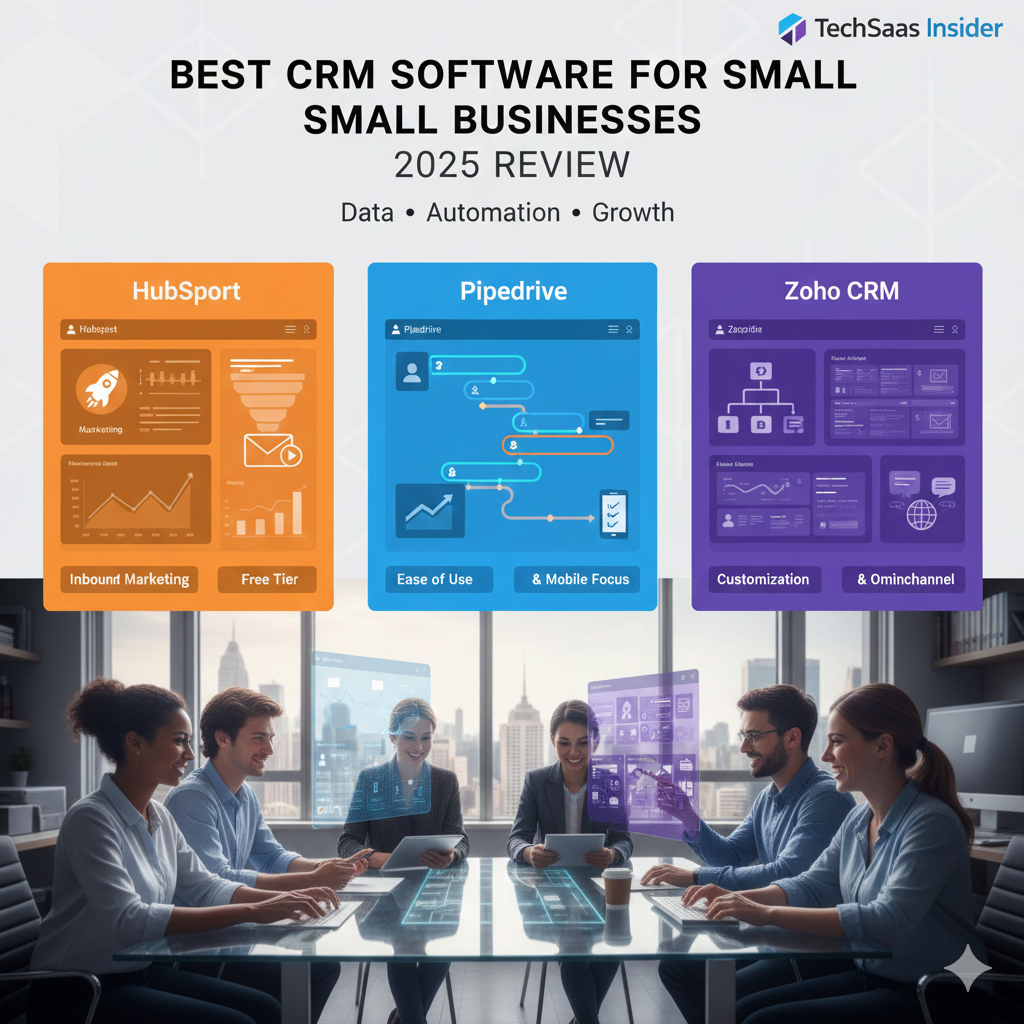
1. HubSpot CRM: The Inbound Marketing Giant
HubSpot is arguably the most famous name in the industry, and for good reason. It practically invented “Inbound Marketing.”
- The Philosophy: HubSpot believes sales and marketing are one continuous motion. Their CRM is the foundation of a much larger ecosystem that includes Marketing Hub, Service Hub, and CMS Hub.
- The “Free Forever” Plan: HubSpot’s free tier is legendary. It allows for unlimited users and up to 1,000,000 contacts. It includes email tracking (seeing when a lead opens your email), meeting scheduling, and live chat. For many startups, this is enough for the first year.
- The “HubSpot Trap”: While the entry is free, the jump to paid features is steep. If you need advanced automation or multiple sales pipelines, the price jumps significantly. It is a “Freemium” model designed to grow with you—but it gets expensive fast.
- Best For: Marketing-focused startups and B2B agencies that want to align their website traffic directly with their sales pipeline.
2. Pipedrive: Built by Salespeople, for Salespeople
If HubSpot is a marketing tool that does sales, Pipedrive is a purebred sales machine.
- The Philosophy: “Activity-Based Selling.” Pipedrive doesn’t focus on the result (the sale) but on the actions that lead to it (calls, emails, demos). It forces you to focus on what you can control.
- The Interface: Pipedrive is visually stunning. Its Kanban-style board is the gold standard for pipeline management. Dragging a deal from “Qualified” to “Negotiation” feels satisfying and clear. It requires almost zero training.
- Automation: Its “Workflow Automation” feature is accessible even to non-techies. You can set up rules like “When a deal moves to stage ‘Proposal Made’, create a task for ‘Follow up’ in 3 days.”
- Best For: Teams strictly focused on outbound sales, cold calling, and deal closing who don’t need complex marketing tools attached.
3. Zoho CRM: The Feature-Packed Value King
Zoho offers the most “bang for your buck” in the SaaS world. Part of the massive Zoho ecosystem (50+ apps), their CRM is incredibly powerful if you have the patience to configure it.
- The Philosophy: “Everything is included.” Zoho packs enterprise-level features like AI predictions (Zia), inventory management, and omnichannel support into a price point that undercuts competitors by 50%.
- Canvas Builder: One unique feature is the ability to completely redesign the CRM interface. If you don’t like how the contact page looks, you can drag and drop elements to create a custom view that fits your industry.
- The Downside: The UI can feel a bit dated compared to Pipedrive, and the sheer number of settings can be overwhelming for a first-time user.
- Best For: Tech-savvy small businesses that want maximum power on a budget and aren’t afraid of some initial setup configuration.
4. Monday Sales CRM: The Customizable Chameleon
Monday.com started as project management software, but its “Sales CRM” product has rapidly become a top contender.
- The Philosophy: “Flexibility above all.” Because it is built on the Monday.com Work OS, every part of the CRM is a flexible data block.
- Data Visualization: This is Monday’s superpower. You can view your sales data as a Map, a Chart, a Calendar, or a List instantly. For businesses that sell physical goods or have complex project-based sales cycles, this is invaluable.
- Seamless Handover: Once a deal is won, it can instantly turn into a “Project” in the same system, allowing the delivery team to take over without switching software. This bridges the gap between Sales and Operations.
- Best For: Teams that already use Monday.com for tasks, or businesses where the “sale” is just the beginning of a complex project delivery.
5. Salesforce Essentials: The Enterprise Gateway
Salesforce is the 800lb gorilla of the industry, used by Fortune 500 companies. “Essentials” is their attempt to court small businesses.
- The Philosophy: “Start on the platform you will never outgrow.” Using Essentials gives you access to the same underlying architecture as the giants.
- The Ecosystem: You get access to the AppExchange, a massive marketplace of third-party integrations. No matter what weird niche software you use, it integrates with Salesforce.
- The Reality Check: While powerful, Salesforce feels “heavy.” It is a database-first design that can feel clunky compared to Pipedrive. It often requires a dedicated admin to manage properly as you scale.
- Best For: Small businesses planning aggressive growth who know they will eventually need enterprise-grade customization and security.
3. Comparison at a Glance: 2025 Pricing & Features
Pricing structures change, but the tiers remain relative.
| Feature | HubSpot CRM | Pipedrive | Zoho CRM |
| Free Tier | Excellent (Unlimited users) | None (14-day trial) | Good (3 users) |
| Entry Price | Free / ~$20/mo (Starter) | ~$14/user/mo | ~$14/user/mo |
| Ease of Use | High | Very High | Medium |
| Mobile App | Excellent | Good | Good |
| Email Sync | Native (Gmail/Outlook) | Full 2-way sync | Full 2-way sync |
| AI Features | Content Assistant | Sales Assistant | Zia AI (Higher tiers) |
4. How to Choose the Right One for You
Choosing a CRM is like choosing a car; the “best” one depends on the terrain you are driving on.
Scenario A: The Solopreneur / Consultant
- Recommendation: HubSpot Free or Zoho Bigin (a lighter version of Zoho).
- Why: You need to keep costs low ($0) and you need efficiency. HubSpot’s free meeting scheduler and email tracking will make you look like a pro without costing a dime.
Scenario B: The Aggressive Sales Team (5-15 Reps)
- Recommendation: Pipedrive.
- Why: Your team needs to move fast. They hate data entry. Pipedrive’s visual interface reduces friction, ensuring your sales reps actually use the tool rather than fighting it. The focus on “Activities” keeps the boiler room running efficiently.
Scenario C: The Operations-Heavy Business
- Recommendation: Monday Sales CRM.
- Why: If you sell a service (like landscaping, design, or construction) where the sale turns into a job, Monday handles the transition perfectly. You don’t need a separate project management tool; it’s all in one place.
Scenario D: The Scaling Tech Startup
- Recommendation: HubSpot (Paid) or Salesforce Essentials.
- Why: You need a platform that scales. You will likely need marketing automation, ticket support, and deep reporting soon. HubSpot allows you to turn on these modules as you grow without migrating data.
5. Implementation: The First 30 Days
Buying the software is easy; implementing it is hard. To ensure ROI:
- Clean Your Data: Before importing, clean your CSV files. Delete duplicates and verify email addresses. Importing bad data (“Garbage In, Garbage Out”) will kill your team’s trust in the new system.
- Define the Pipeline: Map out your actual sales process. Is it “Lead -> Call -> Quote -> Win”? Or is it more complex? Customize the pipeline stages in the CRM to match reality.
- Mandate Usage: Make a rule: “If it’s not in the CRM, it didn’t happen.” If a rep claims they closed a deal but it’s not in the system, no commission. This sounds harsh, but it’s necessary to build the habit.
Conclusion
In 2025, operating without a CRM is a choice to remain small. These tools have democratized enterprise-level efficiency, making it accessible to any small business for the price of a Netflix subscription. Whether you choose the marketing power of HubSpot, the usability of Pipedrive, or the value of Zoho, the most important step is to start today. Your future revenue is hiding in the data you aren’t currently tracking.